


Best Practices for Capturing B-Roll and DIY Content

How to capture scroll-stopping content that feels elevated, intentional, and easy to edit.
Trust the pros: you don’t need a fancy camera, a full production team, or perfect lighting to create high-quality content.
What you do need, however, is a repeatable system. The kind that makes filming feel simple, helps your footage look polished, and gives you clips that are actually usable when it is time to post.
If you’ve ever recorded a “quick video” and realized later it was shaky, too long, poorly lit, or hard to edit, join the club.
The hard truth: Most DIY content fails because the filming habits aren’t optimized for social media.
At The Social Edit, we help business owners capture content that feels cohesive, elevated, and on-brand, even when it is filmed on an iPhone. Below are some best practices for capturing B-roll and DIY content so your footage is easier to edit, more engaging to watch, and more effective across Instagram, TikTok, and beyond.
What is B-roll and why does it matter for social media?
B-roll is the supporting footage that creates context, emotion, and visual interest. It’s not a talking clip or professionally edited video. It’s the raw, behind-the-scenes of your business: the details, the movement, and the moments that make your brand feel real.
B-roll can look like:
Pouring coffee before you start work
Typing on your laptop
Packaging an order
Setting up your space
Walking into your studio
Close-ups of tools, products, or signage
Why it matters: B-roll helps your content feel more natural, more premium, and easier to watch. It also gives you a library of evergreen content (clips you can reuse for weeks/months to come), which saves time and reduces the pressure to film constantly.
The filming mindset shift: short clips beat long videos
One of the most important best practices for capturing B-roll is to stop filming long, continuous videos (unless you need to for a specific post). Instead, think in short clips you can mix and match later.
The rule: 5 to 10 seconds per clip
Record short clips, then repeat the same action from a different angle. This gives your social media manager (or you!) options and makes your final Reel feel intentional instead of random.
Examples of simple actions to capture multiple ways:
Pouring coffee (front angle, side angle, close-up)
Walking into a space (wide shot, then a detail shot of the door or hand on the handle)
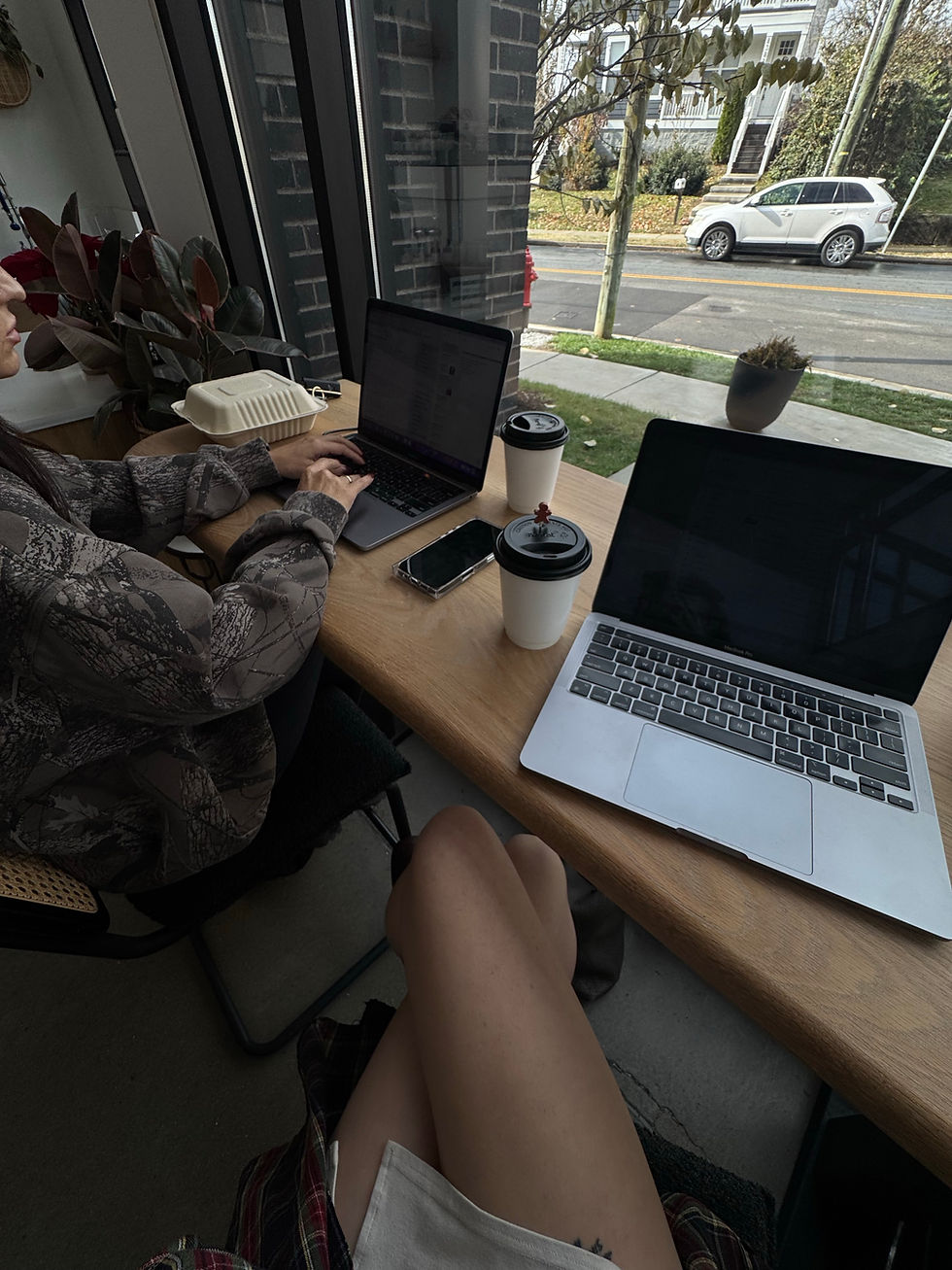
Working at your desk (hands typing, over-the-shoulder screen view, your face focusing)
Why it works: short clips create flexibility. They help you build fast pacing, clean transitions, and strong visual storytelling. Plus, you can drag and drop and use them in any order!
How to hold your phone so your footage looks instantly better
This may sound basic, but it is one of the biggest differences between content that feels DIY and content that feels polished.
Film vertically unless told otherwise
Most social platforms prioritize vertical video. Film in vertical mode for Reels, Stories, and TikToks.
Stay steady
Use two hands. Rest your elbows on a counter or table. If you film while walking, move slowly and intentionally.
A tripod is one of the easiest upgrades you can make, and it is often very affordable. Here are some of our favorites:
Avoid excessive zooming
Zoom often reduces video quality and can look shaky. Move closer instead. You can always crop/zoom in later if absolutely necessary.
Lighting: the simplest way to make DIY content feel high-end
If your content looks dark or yellow, it won’t matter how good your idea is. Lighting is what creates that clean, elevated look that users like.
Use natural light whenever possible
Face a window. Let the light hit your face or subject evenly. Natural light is soft, flattering, and creates a calm visual tone.
Avoid harsh overhead lighting
Overhead lights can create strong shadows and a “green room” effect. If you have to film indoors, turn off mixed lighting and aim for one consistent light source.
Best times to film
Early morning or late afternoon often gives the softest light for a natural glow.
Movement is the secret to scroll-stopping B-roll
Static shots can work, but movement performs better and feels more modern on social media.
Try filming movement like:
Walking toward or past the camera
Turning naturally while working
Using your hands (typing, writing, arranging, packing)
Flipping pages, opening doors, pouring, stirring, unboxing
Pro tip: movement doesn’t necessarily have to be dramatic. Small motion is enough to hold interest. The goal is to make the viewer feel like they’re in the moment with you.
Behind-the-scenes content that actually works
The best B-roll usually looks natural, not staged. It should feel like a quiet peek into your day/work. A look behind the curtain, if you will.
DIY B-roll ideas you can film quickly:
Setting up your workspace
Getting ready for the day
Working on your laptop or phone
Prepping materials or products
Showing tools, textures, and details
Team moments or client interactions (when appropriate)
Whatever you do, DON’T LOOK AT THE CAMERA
For most B-roll, DON’T acknowledge the camera. In fact, ignoring it is preferred.
Act like you are focused on the task. This creates a documentary-style feel that is natural and elevated.
When should you look at the camera?
When you are filming a direct-to-camera hook
When you are recording a tutorial or explanation
When you are intentionally inviting connection
Otherwise, keep it simple and stay in the moment.
Frame your shots like a creator, not a casual filmer
Leave extra space in the frame
Do not place your face or subject too close to the top or edges. Leave breathing room so text can be added later without covering important details.
This is one of the fastest ways to make your footage more usable for Reels, educational overlays, and captions.
Film more than you think you need
This is a professional rule for a reason: when in doubt, record it.
Why: You’ll always have clips that don’t work, or that end too soon, or that feel awkward at the beginning. Not everything has to be perfect, and you can refine as you go. Extra footage gives you options.
Audio doesn’t have to be perfect
For most B-roll, audio isn’t the focus. Background noise or talking is fine. Your social media manager will most likely mute the audio anyway, and can add music, voiceover, or text later.
If you’re recording talking clips:
Make sure you’re in a quiet space
Speak clearly, enunciate, and project
Keep the message short and focused
Remember to stay on-brand!
Your content should feel like your brand before someone reads a single word.
Simple ways to stay on-brand while filming:
Wear neutral or brand-aligned colors
Keep backgrounds clean and uncluttered
Film in spaces that match the feeling you want to create
Choose props that look intentional, not random
A simple list: Your “B-roll menu” to film anytime
Use this as a quick grab-and-go content list when you do not know what to record:
Coffee making / morning routines
Driving / walking POV clips
Flat lays (coffee table, desktop, product layout)
Lunch or food moments
“My favorite things” (tools, products, daily essentials)
Setting up your workspace
Hands at work (typing, writing, packing, designing)
Showing your computer screen or whatever project you’re working on
FAQ: Best practices for capturing B-roll and DIY content
Do I need a professional camera to capture good B-roll?
No. An iPhone is enough, and what most people are using. Consistent lighting, steady filming, and short clips matter more than equipment.
How long should each clip be?
Aim for 5 to 10 seconds per clip. Short clips are easier to edit and perform better for Reels and Stories.
Should I film horizontally or vertically?
Film vertically unless you are creating content specifically for YouTube or a horizontal format.
How much B-roll should I capture in one session?
More than you think you need. Capture multiple angles and multiple takes. You can always trim later.
What if my space is not aesthetically perfect?
Choose one clean corner with good light. A clear background and intentional framing can make almost any space look polished.
Where this content fits in your strategy
B-roll is not a standalone strategy. It supports your marketing by making your content more watchable and easier to produce consistently.
Use B-roll for:
Reels with voiceover
Carousel cover videos
Website and brand visuals
Story background clips
Testimonial overlays
Offer promotion posts
The more B-roll you have, the easier it becomes to stay consistent without forcing yourself to film from scratch every day.
If you want your content to feel calm, elevated, and cohesive, The Social Edit can help. Whether you need support building a B-roll system, creating content ideas, or turning your footage into consistent weekly posts, we handle the details so you can focus on what truly matters.
Connect with The Social Edit to build a content rhythm that feels sustainable, on-brand, and easy to maintain.



Comments